
Create a Folder
- Right-click on your mailbox name in the left-column of Outlook
- Left-click on New Folder
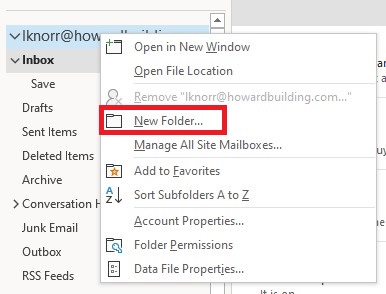
- Type a folder name in the box that appears and press the Enter key
Move Items to a Folder
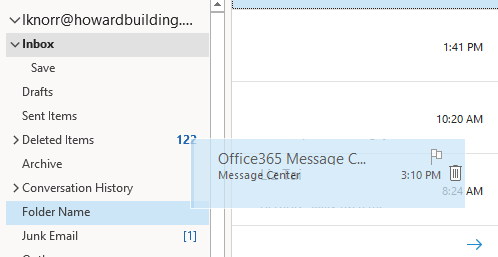
- Click and drag an email from any folder (including your Inbox) into another folder. Release the mouse button over the destination folder to move the message.
Rename a Folder
- Select a folder in the left-column
- Right-click on the folder to change
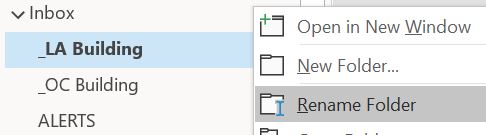
- Left-click on Rename Folder
- Type in the new name and press the Enter key
Comments
0 comments
Article is closed for comments.